Available
Web app
Works now in the browser on computers and phones, tested on Chrome. Nothing to install.
Nizamna · management for shops and workshops
Sales, stock, devices and repairs in one place — and every word on screen can match the way you talk: an “item” becomes a “style” in a clothing shop or a “title” in a bookstore, and a “repair order” becomes a “service ticket”.
No card required. A web app that runs in your browser today.
System term → your shop’s word
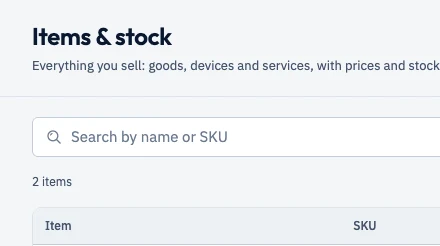
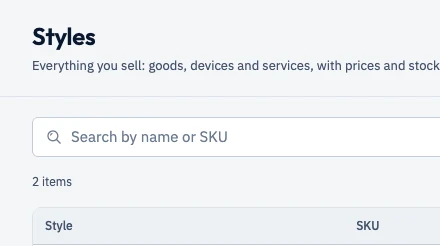
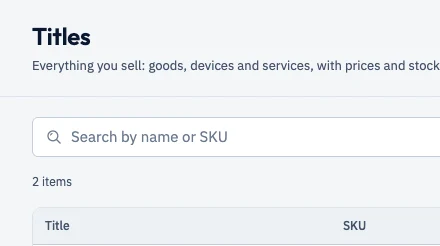
Real captures of the items screen in Chrome after installing three different templates, with test data. The word changes in the title, the columns and the buttons.
What works today
Every image in this section is a real capture of the product in Chrome, with fictional data. No design mock-ups, no staged screens.
Scan a barcode or IMEI, or type a code and press Enter. Every sale belongs to a shift that opens and closes with a cash count.
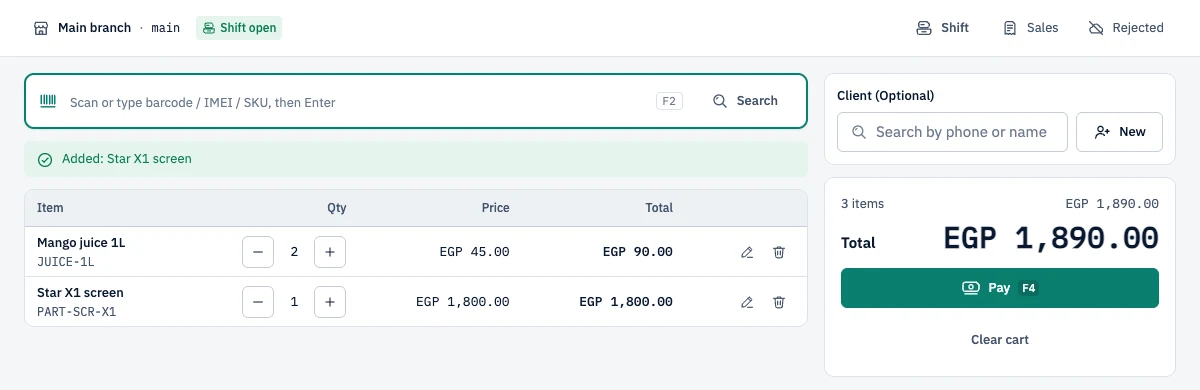
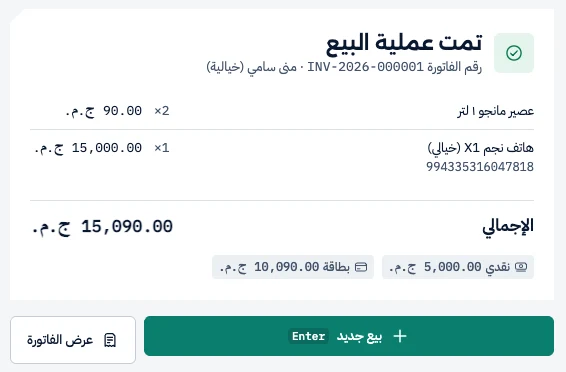
Part cash, the rest by card? Both go on the same sale, and the device line carries its IMEI.
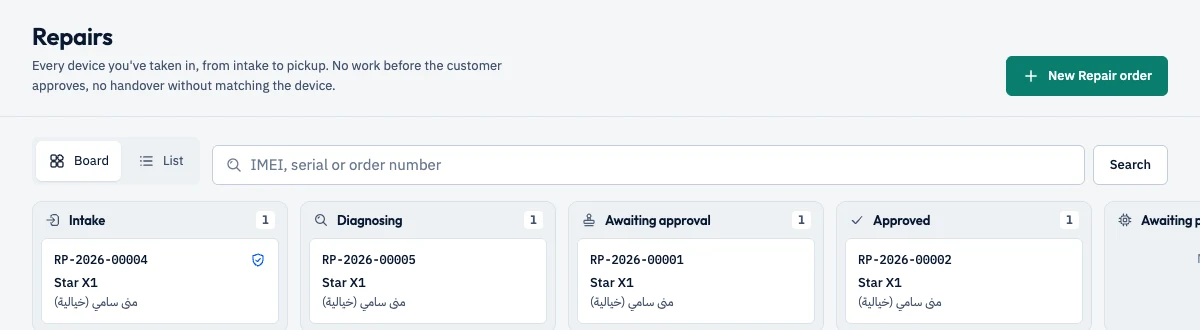
A board with every device’s stage: intake, diagnosis, awaiting approval, approved… No work starts before the customer approves, and no device leaves without being matched.
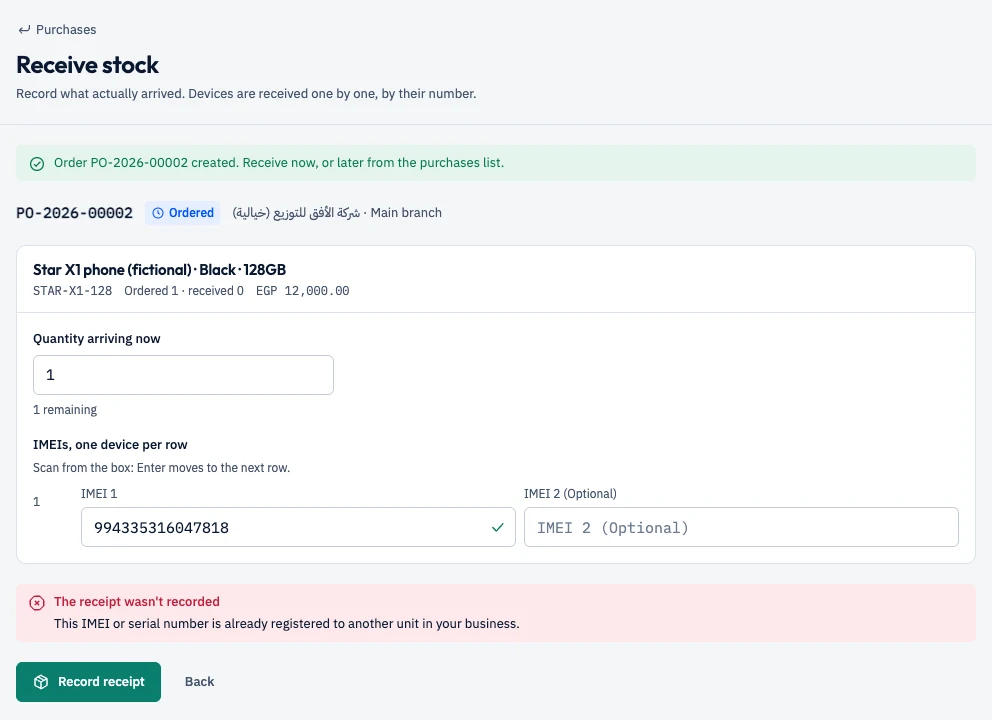
Each device is received and sold by IMEI or serial number. If the number is already registered to another unit in your business, it is refused.
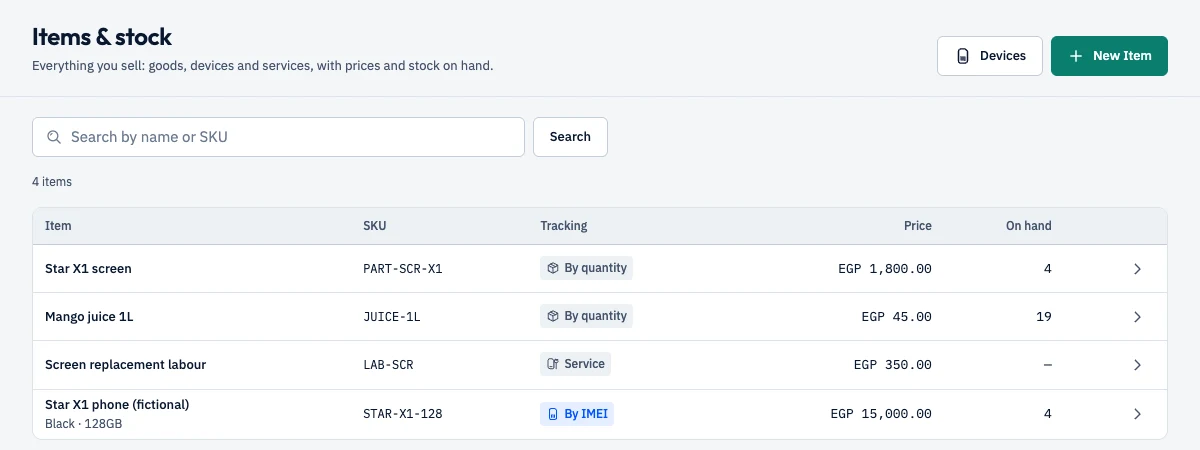
Items tracked by quantity, by IMEI or as services, with price and stock on hand. Purchase orders to suppliers, and receiving what actually arrived.
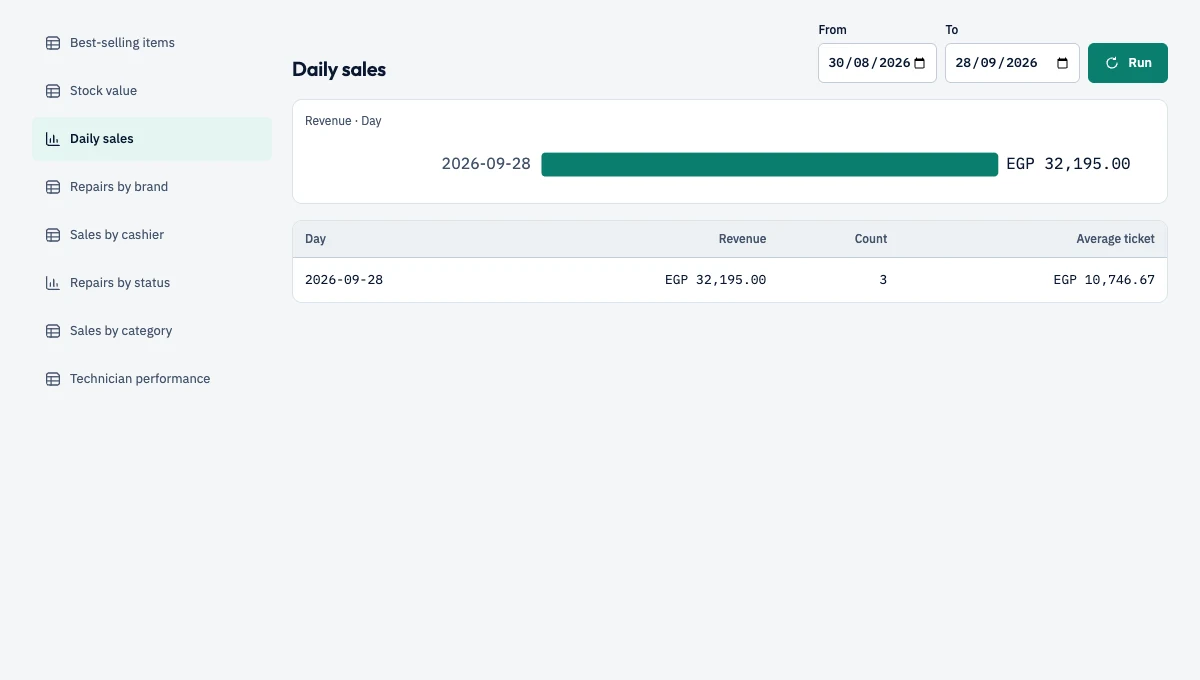
Daily sales, best sellers, stock value, sales by cashier and category, repairs by status. Pick a period and run it.
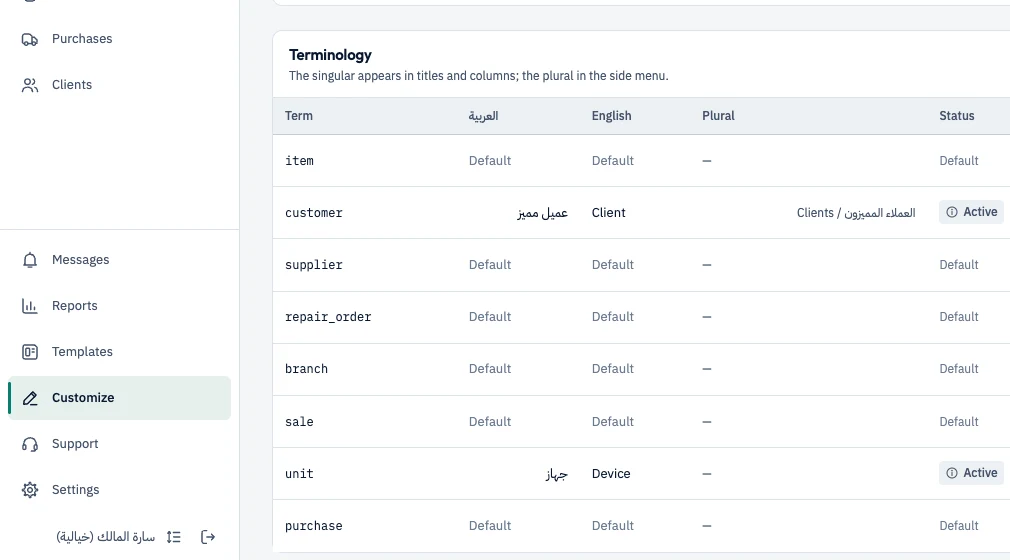
Rename any term in singular and plural, and add fields for your own data. In this capture we renamed “customer” to “Client”, and the side menu now says “Clients”.
Invite staff with ready-made roles or roles you define. Permissions are enforced by the server, not just hidden on screen.
Add your business’s branches, up to your plan’s limit.
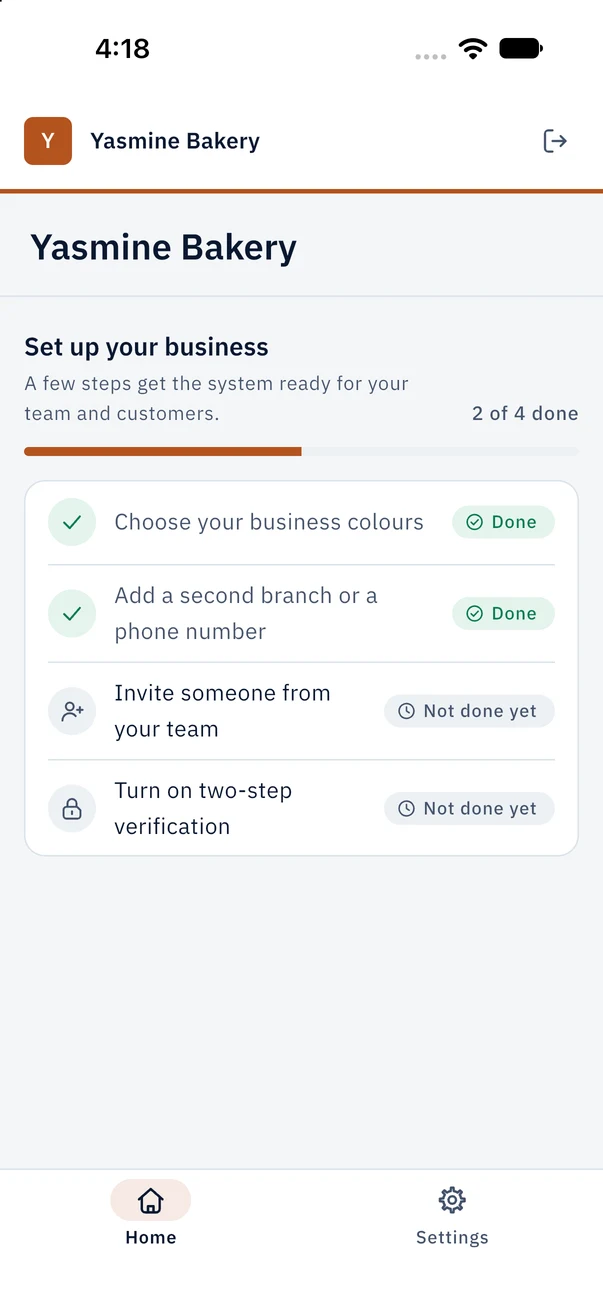
Your business name and colour at the top of every screen, on the web and in the app.
Arabic first, English complete. Numbers and amounts are clear and correctly aligned in both.
Open a support request from the Support screen and follow the reply in the same place.
Available templates
We tested every template here on the web app, from install to sales and reports. A template sets up terms, fields, roles and reports for your business, and you can change all of it after installing.
Templates for other kinds of business appear here once they pass the same tests.
Where it runs
Available
Works now in the browser on computers and phones, tested on Chrome. Nothing to install.
In preparation
In preparation. The iOS build runs on the simulator in development and the macOS build runs on a development machine. Not in the app stores yet.
We will publish a list of the printers and barcode scanners we have physically tested. Until then we don’t promise any specific model.
In preparation
Printing receipts and documents comes with the apps we are preparing: through your device’s print dialog, on A4 or on 80 mm or 58 mm receipt paper, with a REPRINT mark on second copies and VOID on voided sales. The web app doesn’t print yet.
Receipts are operational sales receipts, not Egyptian Tax Authority e-invoices.
Pricing
Plans differ only in users and branches, so you never pay more to unlock your own industry’s features.
400 EGP / month
750 EGP / month
1,400 EGP / month
Privacy and security
Each business’s data is isolated by rules in the database itself (row-level security), not just in the screens. A request for one business can’t see another’s rows.
Sensitive actions — roles, subscription, support access, exports and closing the account — require two-step verification.
ATHRYZA staff can’t see your data unless you approve it, for a time you choose (up to 72 hours), and every access is written to the audit log.
Export your data any time, and close your account from inside the app.
FAQ
No. Sign up and use it free for 14 days without any payment details.
By bank transfer, InstaPay or cash to ATHRYZA. Contact us by email or WhatsApp; we record the payment and activate your subscription.
The account becomes read-only: you can still see and export your data, but you can’t record new activity until the subscription is active.
Today Nizamna is a web app that runs in the browser on phones and computers. iOS, Android and desktop apps are in preparation and are not in the stores yet.
No. It is an operational sales receipt for your shop, not an Egyptian Tax Authority e-invoice.
The web app doesn’t print yet; printing comes with the apps we are preparing, through your device’s print dialog on A4 or 80 mm / 58 mm receipt paper. We will publish a list of printers we have physically tested.
Ready-made templates today cover retail shops (listed above). What works today also suits shops that sell, keep stock, track devices by number and run repairs, and you can rename terms and add fields to fit your work. Message us and ask about your case.
14 days free, no card required. Questions? Talk to us.
Try it free for 14 days